Showing posts with label WebGate. Show all posts
Showing posts with label WebGate. Show all posts
Tuesday, February 16, 2016

Friday, February 12, 2016
OAM 11gR2PS3 - Legacy OpenSSO Agent secure iPlanetDirectoryPro cookie issue
When OAM set the iPlanetDirectoryPro cookie as secure, the non-secure Legacy OpenSSO Agent won't be able to get the cookie.
The workaround is to edit the Header to set the cookie as non-secure at web tier.
The workaround is to edit the Header to set the cookie as non-secure at web tier.
OAM 11gR2PS3 - Legacy OpenSSO Agent cross-domain issue
The OAM 11gR2PS3 do not support the cross-domain for legacy OpenSSO Agent.
The workaround is to edit the Header to set the cookie domain as parent domain of both OAM server and the OpenSSO Agent server at web tier.
The workaround is to edit the Header to set the cookie domain as parent domain of both OAM server and the OpenSSO Agent server at web tier.
Tuesday, January 12, 2016
OAM 11gR2PS3 & Oracle OpenSSO Fedlet Integration
The integration between OAM anf Fedlet is pretty straight forward.
- Generate the fedlet sample and configure files.

- Deploy the fedletsample.war
- Create Service Provider Partner in OAM.

- Test

- Generate the fedlet sample and configure files.
- Deploy the fedletsample.war
- Create Service Provider Partner in OAM.
- Test
Monday, January 11, 2016
Oracle Access Manager 11gR2PS3 & Sun Identity Manager (Oracle Waveset) Integration
There
are three integration points between SIM & OAM:
authentication/authorisation, password management and access management
reporting.


Saturday, January 9, 2016
Sun IAM to Oracle IAM Migration - Phase Deployment Approach

Friday, September 11, 2015
Setup a Lab for WebSphere Portal 8 & OAM 11gR2PS2 Integration
I've set up a lab for the WebSphere Portal 8 & OAM 11gR2PS2 integration to identity/solve the issues encountered in our SUN IAM to Oracle IAM migration project.
For 10g WebGate, there are two ways (Header Based or Cookie Based Assertion) to do the integration.
For 11g WebGate, only the 'Header Based Assertion' is supported for the integration.

The followings are the high level steps for 11g WebGate integration:
1. Install Oracle Database
2. Install JDK
3. Install WebLogic
4. Create Database Schema using RCU
5. Install OAM
6. Install OUD
7. Configure OUD as Identity Store in OAM
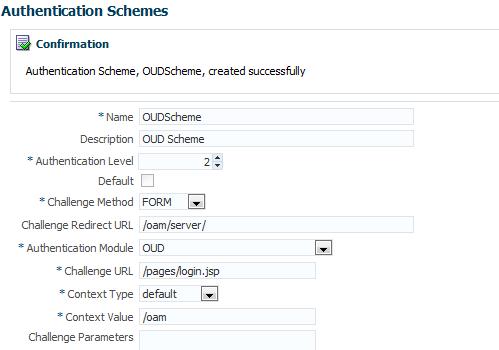
8. Install WebSphere Portal
9. Install IBM HTTP Server
11. Deploy snoop application (optional, it's useful if you need to check what's in the http request)
12. Install and Configure IHS 11g WebGate

13. Configure OUD as Standalone LDAP Repository of WebSphere

14. Configure IHS Reverse Proxy in WebSphere
15. Configure OAM Trust Interceptor in WebSphere
16. Configure to deny the access to WebSphere applications directly
For 10g WebGate, there are two ways (Header Based or Cookie Based Assertion) to do the integration.
For 11g WebGate, only the 'Header Based Assertion' is supported for the integration.

The followings are the high level steps for 11g WebGate integration:
1. Install Oracle Database
2. Install JDK
3. Install WebLogic
4. Create Database Schema using RCU
5. Install OAM
6. Install OUD
7. Configure OUD as Identity Store in OAM
8. Install WebSphere Portal
9. Install IBM HTTP Server
11. Deploy snoop application (optional, it's useful if you need to check what's in the http request)
12. Install and Configure IHS 11g WebGate

13. Configure OUD as Standalone LDAP Repository of WebSphere

14. Configure IHS Reverse Proxy in WebSphere
15. Configure OAM Trust Interceptor in WebSphere
16. Configure to deny the access to WebSphere applications directly
Subscribe to:
Posts (Atom)
